
Účet Kontakt
Váš košík
Doručenie cez DPD a FedEx
Pomoc? Opýtajte sa AI

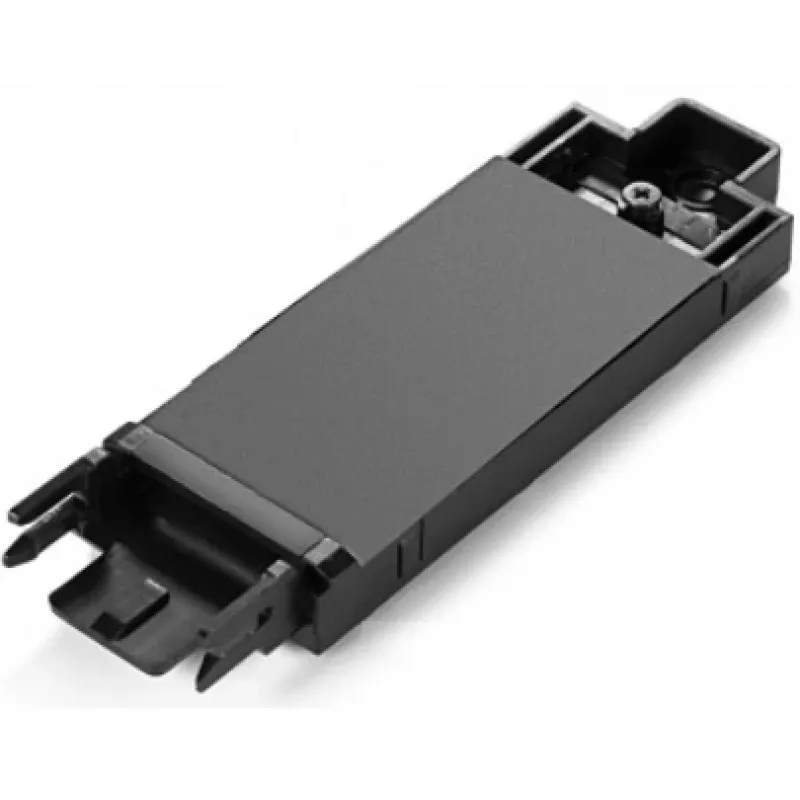
Lenovo 00UR868 rám na montáž SSD

Lenovo 00UR868 rám na montáž SSD
63,32 €
The ThinkPad P50 M.2 SATA SSD tray (Lenovo 00UR868) is a dedicated mounting bracket designed to install an M.2 SATA SSD into ThinkPad P50 workstations. The tray provides a secure mechanical interface for the drive and aligns the M.2 module with the laptop's internal connector to ensure correct fit a... Čítať viac
Sklad Nie je skladomNie je skladom Kód 2406255 Značka LENOVO Model FRU00UR868 Záruka 2 roky

Doprava a vrátenie tovaru

The ThinkPad P50 M.2 SATA SSD tray (Lenovo 00UR868) is a dedicated mounting bracket designed to install an M.2 SATA SSD into ThinkPad P50 workstations. The tray provides a secure mechanical interface for the drive and aligns the M.2 module with the laptop's internal connector to ensure correct fit and reliable operation.

Advantages

The tray offers precise alignment and stable fixation for M.2 SATA SSDs in the ThinkPad P50 chassis, reducing the risk of poor connection or mechanical stress. Its form factor matches the original Lenovo mounting points, enabling straightforward replacement or upgrade without chassis modification.

Suitable for

  • Installing or replacing an M.2 SATA SSD in a Lenovo ThinkPad P50
  • Upgrading internal storage capacity of ThinkPad P50 workstations
  • Repair or maintenance tasks that require secure SSD mounting

Key specifications

  • Compatible drive type: M.2 SATA SSD (keying and size must match laptop requirements)
  • Target models: Lenovo ThinkPad P50 series
  • Material and finish: metal/plastic bracket designed for laptop internal mounting
  • Mounting: aligns M.2 module with onboard M.2 connector and secures with screw(s)

How to use

Power off the ThinkPad P50, disconnect any power sources and remove the service cover according to the laptop maintenance manual. Place the M.2 SATA SSD into the tray aligning the module with the connector and secure it with the appropriate screw(s). Reinstall the tray and service cover, then power on the system to verify the drive is detected and initialized in the operating system.

Recommendations

Use this tray only with compatible ThinkPad P50 systems and M.2 SATA SSD modules. Follow Lenovo service instructions for safe installation, handle the SSD and tray with anti-static precautions, and verify drive compatibility and BIOS settings after installation.
Hlavné vlastnosti
  • Installing or replacing an M.2 SATA SSD in a Lenovo ThinkPad P50
  • Upgrading internal storage capacity of ThinkPad P50 workstations
  • Repair or maintenance tasks that require secure SSD mounting
  • Compatible drive type: M.2 SATA SSD (keying and size must match laptop requirements)
  • Target models: Lenovo ThinkPad P50 series
  • Material and finish: metal/plastic bracket designed for laptop internal mounting
  • Mounting: aligns M.2 module with onboard M.2 connector and secures with screw(s)
Parametre
Farba produktu
Black
Kompatibilita
ThinkPad P50
Kompatibilita so značkou
Lenovo
Množstvo v balení
1 pc(s)
Typ
SSD tray
Vývoj ceny zatiaľ nie je k dispozícii
Stále zhromažďujeme dostatok denných údajov o cenách tohto produktu.

Populárne produkty v tejto kategórii

Dobrý deň, som AI asistent DistriNode. Pomôžem Vám nájsť produkty, porovnať možnosti, vytvoriť cenovú ponuku v PDF alebo otvoriť požiadavku na podporu.