
Účet Kontakt
Váš košík
Doručenie cez DPD a FedEx
Pomoc? Opýtajte sa AI

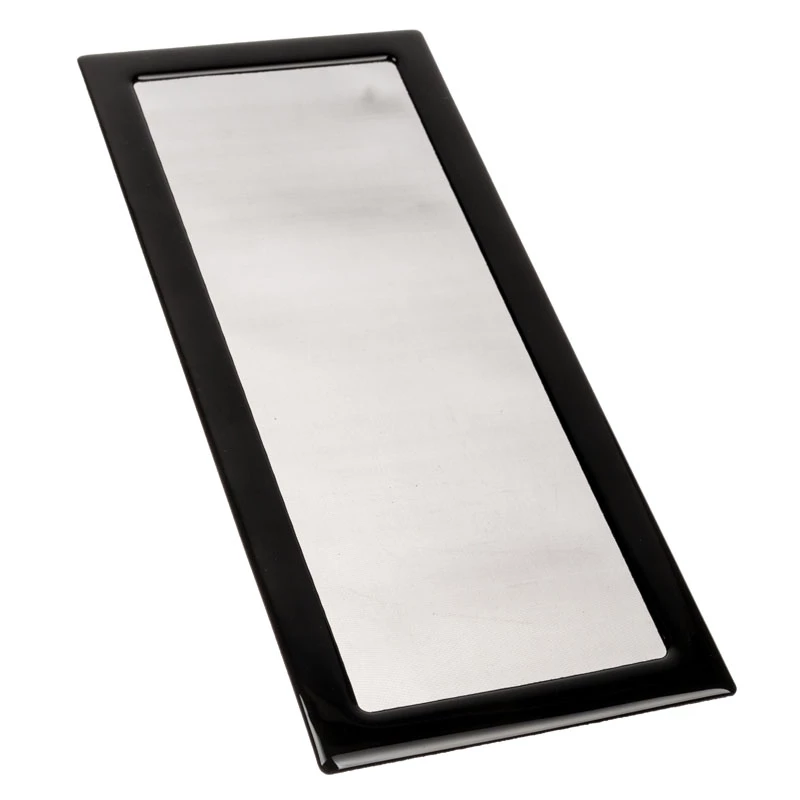
Protiprachový filter pre Cooler Master NR200P spodná strana od DEMCiflex — náhradný panel, čierny

Protiprachový filter pre Cooler Master NR200P spodná strana od DEMCiflex — náhradný panel, čierny
7,35 €
DEMCiflex bottom dust filter designed for the Cooler Master NR200P case. This replacement panel fits the case's bottom intake area to block dust while allowing airflow. It is supplied in black and intended for routine maintenance or upgrades to help keep internal components cleaner and support long-... Čítať viac
Sklad Nie je skladomNie je skladom Kód 310717 Značka DEMCIFLEX Model 1091 Záruka 2 roky

Doprava a vrátenie tovaru

DEMCiflex bottom dust filter designed for the Cooler Master NR200P case. This replacement panel fits the case's bottom intake area to block dust while allowing airflow. It is supplied in black and intended for routine maintenance or upgrades to help keep internal components cleaner and support long-term cooling reliability.

Advantages

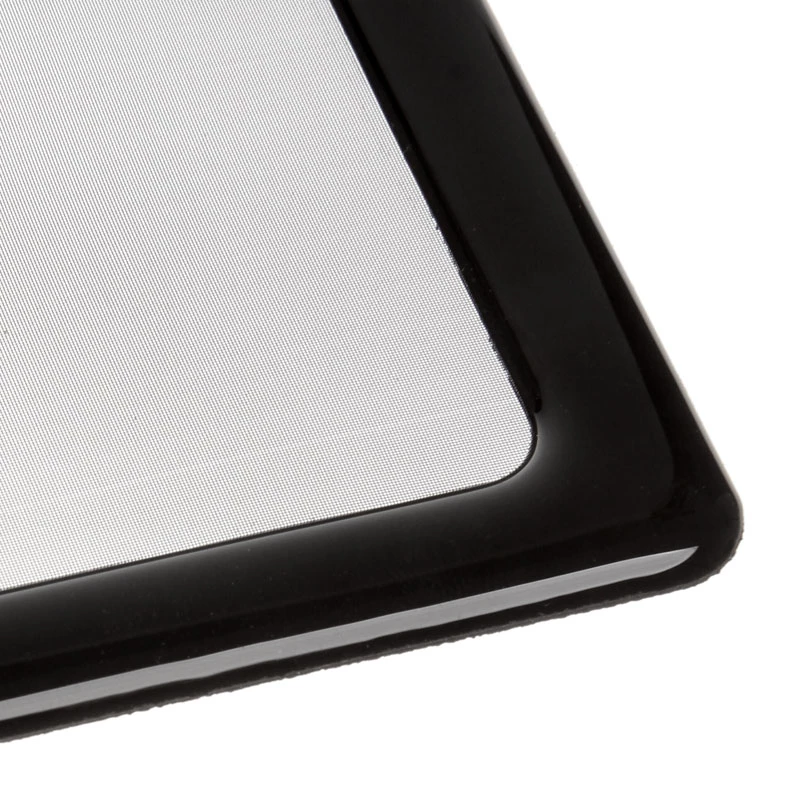
The DEMCiflex dust filter offers straightforward protection against dust ingress while maintaining unobstructed airflow to front and bottom-mounted fans. Its precision cut matches the Cooler Master NR200P bottom intake dimensions for a secure fit, and the fine mesh traps fine particles without significantly increasing fan noise or thermal resistance. As a replaceable panel, it simplifies maintenance by allowing quick removal and cleaning.

Suitable for

  • Replacing a worn or damaged bottom dust filter in a Cooler Master NR200P chassis
  • Routine maintenance to reduce internal dust buildup
  • System builds where improved long-term cooling reliability is required
  • Users who prefer a removable, easy-to-clean bottom intake filter

Key specifications

  • Color: black
  • Form factor: full bottom intake panel compatible with small form-factor case
  • Material: fine mesh filter media with rigid frame for mounting
  • Compatibility: designed to match Cooler Master NR200P bottom intake geometry
  • Function: dust filtration while permitting airflow to intake fans

How to use

Turn off and unplug the computer before servicing. Access the NR200P bottom intake area according to the case manual, remove the existing panel if present, and align the DEMCiflex filter with the mounting points. Press gently until the filter seats securely. For cleaning, remove the panel and use compressed air or a soft brush; if necessary wash the mesh with mild detergent and let it dry completely before reinstalling.

Recommendations

Inspect and clean the filter every 1–3 months depending on ambient dust levels. Replace the filter if the mesh is damaged or clogged to maintain optimal airflow and cooling performance.

Hlavné vlastnosti
  • Replacing a worn or damaged bottom dust filter in a Cooler Master NR200P chassis
  • Routine maintenance to reduce internal dust buildup
  • System builds where improved long-term cooling reliability is required
  • Users who prefer a removable, easy-to-clean bottom intake filter
  • Color: black
  • Form factor: full bottom intake panel compatible with small form-factor case
  • Material: fine mesh filter media with rigid frame for mounting
  • Compatibility: designed to match Cooler Master NR200P bottom intake geometry
  • Function: dust filtration while permitting airflow to intake fans
Vývoj ceny za posledných 6 mesiacov
Protiprachový filter pre Cooler Master NR200P spodná strana od DEMCiflex — náhradný panel, čierny
Aktuálna
7,35 €
Najnižšia
6,81 €
Najvyššia
27,82 €
Zmena za 24 h
+0,53 €   +8%
Týždeň
+0,51 €   +7%
Mesiac
+0,52 €   +8%

Populárne produkty v tejto kategórii

Dobrý deň, som AI asistent DistriNode. Pomôžem Vám nájsť produkty, porovnať možnosti, vytvoriť cenovú ponuku v PDF alebo otvoriť požiadavku na podporu.