
Účet Kontakt
Váš košík
Doručenie cez DPD a FedEx
Pomoc? Opýtajte sa AI

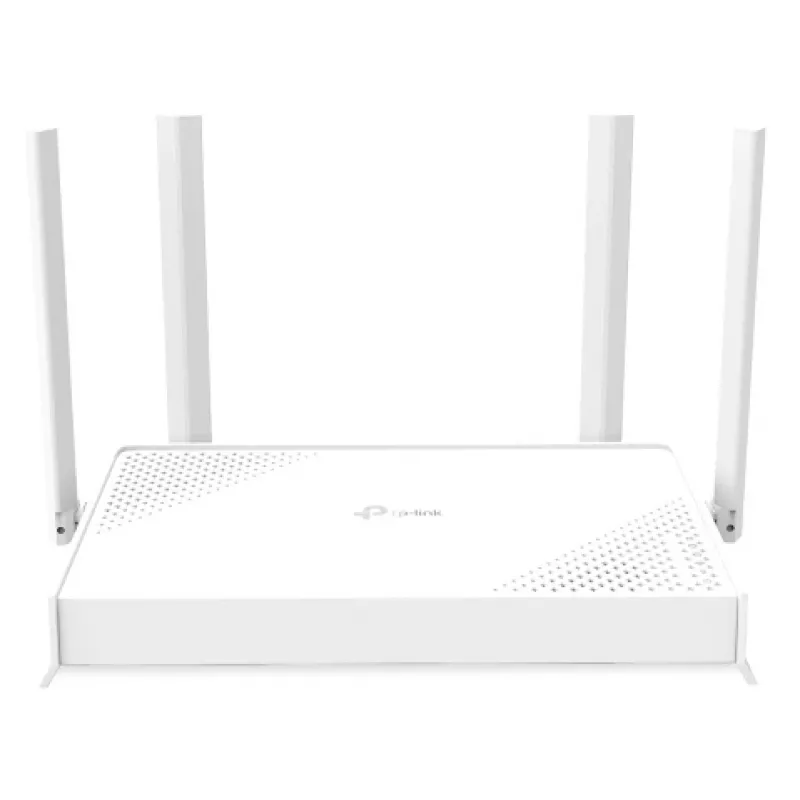
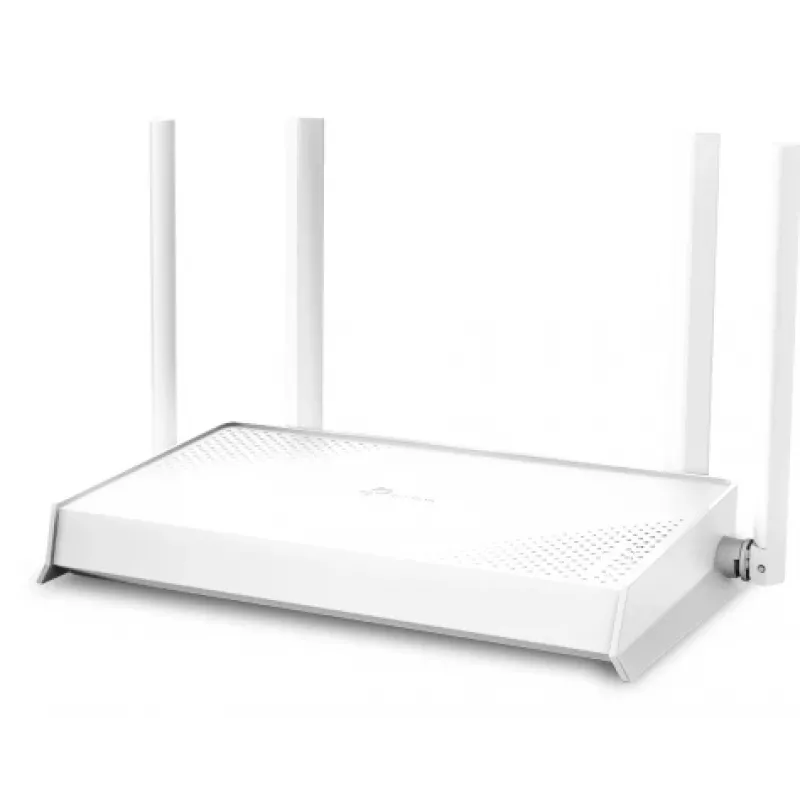
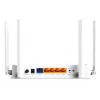
TP-Link Archer BE220W WLAN router Gigabit Ethernet Dualband (2,4 GHz / 5 GHz) biely

TP-Link Archer BE220W WLAN router Gigabit Ethernet Dualband (2,4 GHz / 5 GHz) biely
105,73 €
The TP-LINK Archer BE220W Dual-Band Wi-Fi 7 router provides next-generation wireless connectivity for homes and small offices. Supporting Wi‑Fi 7 technology, this router is designed to deliver higher throughput, lower latency, and better handling of multiple simultaneous devices. It operates on both... Čítať viac
Sklad Nie je skladomNie je skladom Kód 2395162 Značka TP-LINK Model ARCHER BE220W Záruka 2 roky

Doprava a vrátenie tovaru

The TP-LINK Archer BE220W Dual-Band Wi-Fi 7 router provides next-generation wireless connectivity for homes and small offices. Supporting Wi‑Fi 7 technology, this router is designed to deliver higher throughput, lower latency, and better handling of multiple simultaneous devices. It operates on both 2.4 GHz and 5 GHz bands to balance coverage and speed, and includes built-in security and straightforward setup options suitable for everyday networking needs.

Advantages

The Archer BE220W offers improved data rates and more efficient spectrum use compared with previous Wi‑Fi standards, enabling faster downloads and smoother 4K/8K streaming. Dual‑band operation helps maintain stable connections for legacy and modern devices. The router integrates standard WPA3-level security features and user-friendly configuration tools, allowing for quick installation and basic traffic management without complex configuration.

Suitable for

  • High-definition video streaming and online gaming
  • Simultaneous use of multiple smart home devices
  • Remote work, video conferencing and large file transfers
  • General home and small office wireless networking

Key specifications

  • Wireless standard: Wi‑Fi 7 compatible dual‑band operation
  • Frequency bands: 2.4 GHz and 5 GHz
  • Multiple device support and improved multi-link efficiency
  • Security: modern WPA3-capable protections and guest network support
  • Setup: web interface and mobile app assisted configuration
  • Performance focus: reduced latency and higher throughput for bandwidth-intensive tasks

How to use

Place the router in a central location to optimize wireless coverage and connect the WAN port to your modem using an Ethernet cable. Power on the device and follow the on-screen steps in the mobile app or web-based wizard to complete initial setup, including selecting network names and passwords for each band. Connect client devices to the appropriate band according to their needs — use 2.4 GHz for wider range and 5 GHz for higher speeds — and enable security features such as WPA3 and guest network isolation during configuration.

Recommendations

For best performance, keep firmware up to date, place the router away from large metal objects and microwave ovens, and assign devices to the most appropriate band. Use the router’s management tools to monitor connected devices, configure parental controls if required, and enable automatic updates to maintain security.

Hlavné vlastnosti
  • 3.6 Gbps Dual-Band WiFi 7: BE3600 Dual-Band WiFi delivers WiFi speeds up to 3.6 Gbps.
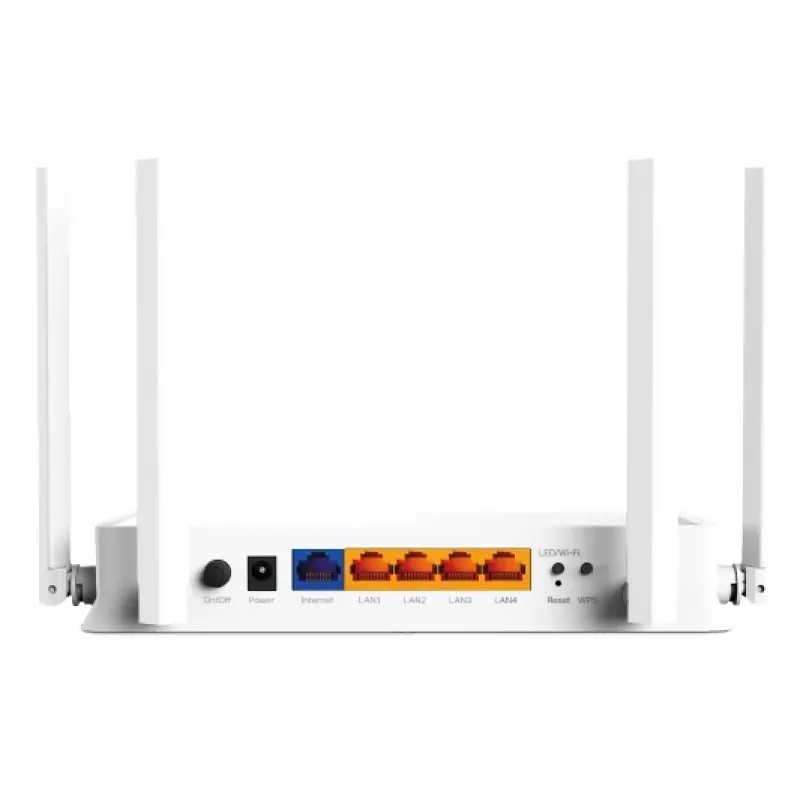
  • Full Gigabit Ports: 1× 1 Gbps WAN port + 4× 1 Gbps LAN ports offer high-speed data transmissions.
  • Maximized Coverage: 4× external antennas along with Beamforming deliver more capacity, stronger and more reliable connections, and less interference.
  • EasyMesh-Compatible: Works with EasyMesh routers and range extenders to form seamless whole home Mesh WiFi, preventing drops and lag when moving between signals.
  • Easy Setup and Use: Network management has never been easier with the Tether app.
  • TP-Link HomeShield: Enhanced security defends against the latest cyber threats.
  • Great Compatibility: Supports all Wi-Fi generations and devices and all internet providers.
  • Tabletop router White
  • Dual-band (2.4 GHz / 5 GHz) Wi-Fi 7 (802.11be) 3570 Mbit/s
  • Gigabit Ethernet
  • Ethernet WAN
  • Ethernet LAN (RJ-45) ports: 5
  • Quality of Service (QoS) support
  • MU-MIMO technology
Parametre
Anténa súčasťou balenia
Yes
Bezpečnostné algoritmy
WPA, WPA-Enterprise, WPA2, WPA2-Enterprise, WPA3
Certifikácia
CE, FCC, RoHS
DHCP klient
Yes
DHCP server
Yes
Dizajn antény
External
DSL WAN
No
Dynamické DNS (DDNS)
Yes
Ethernet LAN
Yes
Ethernet WAN
Yes
Farba produktu
White
Generácia mobilnej siete
Not supported
IGMP snooping
Yes
Kompatibilita s 3G/4G USB modémom
No
Najvyšší štandard Wi-Fi
Wi-Fi 7 (802.11be)
Počet antén
4
Počet hosťovských sietí (2,4 GHz)
1
Počet hosťovských sietí (5 GHz)
1
Podpora Quality of Service (QoS)
Yes
Porty Ethernet LAN (RJ-45)
5
Prenosová rýchlosť Wi-Fi (druhé pásmo)
2882 Mbit/s
Prenosová rýchlosť Wi-Fi (max.)
3570 Mbit/s
Prenosová rýchlosť Wi-Fi (prvé pásmo)
688 Mbit/s
Slot na SIM kartu
No
Spravované cez cloud
Yes
Štandardy Wi-Fi
802.11a, 802.11b, 802.11g, Wi-Fi 4 (802.11n), Wi-Fi 5 (802.11ac), Wi-Fi 6 (802.11ax), Wi-Fi 6E (802.11ax), Wi-Fi 7 (802.11be)
Technológia MU-MIMO
Yes
Tlačidlo reset
Yes
Tlačidlo WPS
Yes
Typ pripojenia WAN
RJ-45
Typ produktu
Tabletop router
Typ rozhrania Ethernet LAN
Gigabit Ethernet
Typ zdroja napájania
DC
USB port
No
Výstupné napätie
12 V
Wi-Fi pásmo
Dual-band (2.4 GHz / 5 GHz)
Vývoj ceny za posledných 6 mesiacov
TP-Link Archer BE220W WLAN router Gigabit Ethernet Dualband (2,4 GHz / 5 GHz) biely
Aktuálna
105,73 €
Najnižšia
79,51 €
Najvyššia
151,35 €
Zmena za 24 h
+0,61 €   +1%
Týždeň
+0,45 €   +0%
Mesiac
+25,91 €   +32%

Populárne produkty v tejto kategórii

Dobrý deň, som AI asistent DistriNode. Pomôžem Vám nájsť produkty, porovnať možnosti, vytvoriť cenovú ponuku v PDF alebo otvoriť požiadavku na podporu.