
Účet Kontakt
Váš košík
Doručenie cez DPD a FedEx
Pomoc? Opýtajte sa AI

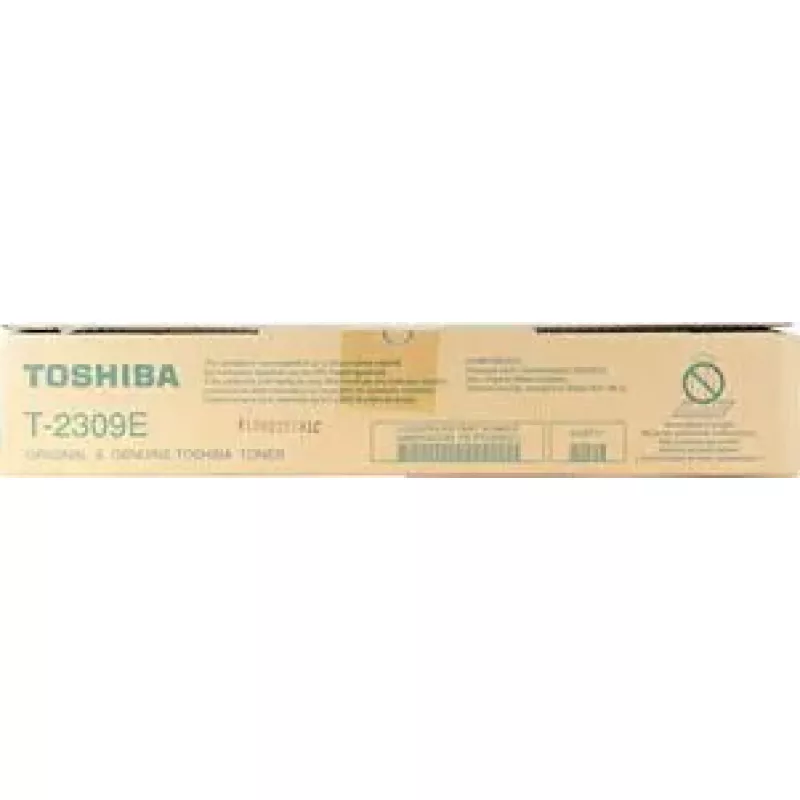
Toner Toshiba T-2309E T2309E 6 000 strán čierny

Toner Toshiba T-2309E T2309E 6 000 strán čierny
49,04 €
The Toshiba T-2309E toner cartridge delivers reliable monochrome printing with an estimated yield of up to 6000 pages. Designed for compatibility with supported Toshiba multifunction printers and laser printers, this black toner produces clear, sharp text and consistent grayscale images suitable for... Čítať viac
Sklad 17 Kód 2571857 Značka TOSHIBA Model 6AJ00000155 Záruka 2 roky

Doprava a vrátenie tovaru

Predpokladané doručenie pondelok, októbra 26
O stave zásielky Vás budeme priebežne informovať prostredníctvom nášho podrobného systému sledovania zásielok
Možnosti platby
Platobná kartaVisaMastercardPayPalApple PayGoogle PayBankový prevod

The Toshiba T-2309E toner cartridge delivers reliable monochrome printing with an estimated yield of up to 6000 pages. Designed for compatibility with supported Toshiba multifunction printers and laser printers, this black toner produces clear, sharp text and consistent grayscale images suitable for everyday documents. The cartridge is manufactured to match printer requirements for stable output and straightforward replacement.

Advantages

This black toner provides a high page yield and steady print density across long print runs, reducing the need for frequent replacements. Text reproduction is crisp, with reliable edge definition for letters and numbers. The cartridge is easy to install and remove using standard cartridge access procedures on compatible Toshiba devices, helping to minimize downtime during substitutions.

Suitable for

  • Printing business letters, invoices and contracts
  • Producing reports, drafts and internal documents
  • Generating grayscale images and monochrome graphics
  • Home office and small to medium office environments

Key specifications

  • Color: Black
  • Estimated page yield: up to 6000 pages (at standard coverage)
  • Technology: Laser toner cartridge
  • Form factor: Single-pack replaceable cartridge
  • Output: Monochrome prints with stable density

How to use

Turn off the printer or follow the manufacturer's instructions for cartridge replacement. Open the printer's toner access panel, remove the used cartridge according to the device manual, and unpack the new Toshiba T-2309E toner. Gently shake the new cartridge side-to-side if recommended, remove any protective seals, and insert it into the correct slot until it clicks into place. Close the access panel and run a test page or alignment procedure if the printer prompts for it.

Recommendations

Store unused cartridges in a cool, dry place away from direct sunlight and extreme temperatures. For consistent print quality, allow the cartridge to acclimate to room temperature before installation if it has been exposed to cold conditions. Use genuine or manufacturer-compatible maintenance parts and follow routine printer maintenance to extend the life of the cartridge and the printer.

Hlavné vlastnosti
  • Printing business letters, invoices and contracts
  • Producing reports, drafts and internal documents
  • Generating grayscale images and monochrome graphics
  • Home office and small to medium office environments
  • Color: Black
  • Estimated page yield: up to 6000 pages (at standard coverage)
  • Technology: Laser toner cartridge
  • Form factor: Single-pack replaceable cartridge
  • Output: Monochrome prints with stable density
Parametre
Farby tlače
Black
Typ
Toner Cartridge
Vývoj ceny za posledných 6 mesiacov
Toner Toshiba T-2309E T2309E 6 000 strán čierny
Aktuálna
49,04 €
Najnižšia
46,82 €
Najvyššia
58,13 €
Zmena za 24 h
+2,17 €   +5%
Týždeň
+1,67 €   +4%
Mesiac
-2,77 €   -5%

Populárne produkty v tejto kategórii

Predajca: UAB KUR LT · Laisvės pr. 125A, LT-06118 Vilnius, Litva · IČO 303192950 · IČ DPH LT100008198612 · Odoslanie z EÚ (Litva)
Messenger
Dobrý deň, som AI asistent DistriNode. Pomôžem Vám nájsť produkty, porovnať možnosti, vytvoriť cenovú ponuku v PDF alebo otvoriť požiadavku na podporu.