
Účet Kontakt
Váš košík
Doručenie cez DPD a FedEx
Pomoc? Opýtajte sa AI

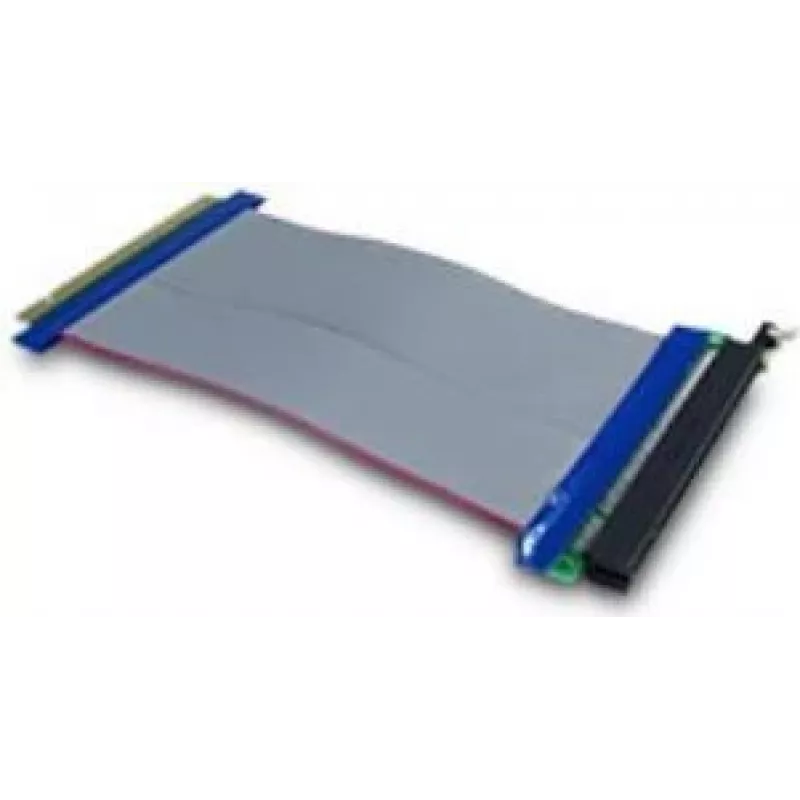
Rozhranová karta Inter-Tech 88885366

Rozhranová karta Inter-Tech 88885366
32,04 €
The Inter-Tech 88885366 is a PCIe internal interface card designed to provide reliable data transfer and expand connectivity options inside desktop systems. With a compact form factor and blue-and-grey finish, the card installs in a PCI Express slot to add an internal interface for peripherals or co... Čítať viac
Dostupnosť 80 Kód 2187000 Značka INTER-TECH Model 88885366 Záruka 2 roky

Doprava a vrátenie tovaru

Predpokladané doručenie utorok, októbra 20
O stave zásielky Vás budeme priebežne informovať prostredníctvom nášho podrobného systému sledovania zásielok
Možnosti platby
Platobná kartaVisaMastercardPayPalApple PayGoogle PayBankový prevod

The Inter-Tech 88885366 is a PCIe internal interface card designed to provide reliable data transfer and expand connectivity options inside desktop systems. With a compact form factor and blue-and-grey finish, the card installs in a PCI Express slot to add an internal interface for peripherals or controllers. It is intended for use in standard ATX, micro-ATX, and similar tower cases where an additional internal connection is required.

Advantages

The card offers a direct PCIe host interface for low-latency communication and stable throughput. Its internal design minimizes external cabling and maintains a tidy system interior. The neutral blue and grey color scheme supports compatibility with a wide range of system builds and does not obstruct airflow when installed correctly. The product is engineered for consistent operation under typical desktop conditions and for integration with compatible motherboards that provide PCIe expansion.

Key specifications

  • Host interface: PCIe
  • Installation type: Internal, fits PCI Express slot
  • Compatibility: Standard desktop motherboards with available PCIe slot
  • Product colour: Blue, Grey
  • Form factor: Low-profile / full-height bracket compatibility depending on system (verify before installation)

How to use

Power down the computer and disconnect it from the mains before installing the interface card. Open the computer case, locate an available PCIe slot and remove the corresponding expansion slot cover. Carefully align the card with the slot and press it down until it is fully seated in the PCIe connector, then secure it to the case with the retention screw. Reassemble the case and reconnect power. After booting, verify that the system detects the new internal interface and install any required drivers or firmware provided by the device or motherboard vendor.

Recommendations

Ensure BIOS/UEFI settings allow the use of the PCIe slot and verify driver availability for your operating system. Avoid forcing the card into the slot; if resistance occurs, power down and recheck alignment. Use electrostatic discharge (ESD) precautions during handling and keep airflow around the card unobstructed for reliable operation.

Hlavné vlastnosti
  • Расширение внутренних интерфейсов настольного компьютера
  • Подключение внутренних периферийных устройств и контроллеров
  • Замена или обновление существующих внутренних карт в корпусе
  • Сборки с требованием аккуратной внутренней проводки и стабильного соединения
  • Host interface: PCIe
  • Installation type: Internal, fits PCI Express slot
  • Compatibility: Standard desktop motherboards with available PCIe slot
  • Product colour: Blue, Grey
  • Form factor: Low-profile / full-height bracket compatibility depending on system (verify before installation)
Parametre
Farba produktu
Blue, Grey
Interné
Yes
Kód harmonizovaného systému (HS)
84733020
Rozhranie hostiteľa
PCIe
Vývoj ceny za posledných 6 mesiacov
Rozhranová karta Inter-Tech 88885366
Aktuálna
32,04 €
Najnižšia
31,14 €
Najvyššia
32,04 €
Zmena za 24 h
+0,71 €   +2%
Týždeň
+0,89 €   +3%
Mesiac
—   

Populárne produkty v tejto kategórii

Dobrý deň, som AI asistent DistriNode. Pomôžem Vám nájsť produkty, porovnať možnosti, vytvoriť cenovú ponuku v PDF alebo otvoriť požiadavku na podporu.