
Účet Kontakt
Váš košík
Doručenie cez DPD a FedEx
Pomoc? Opýtajte sa AI

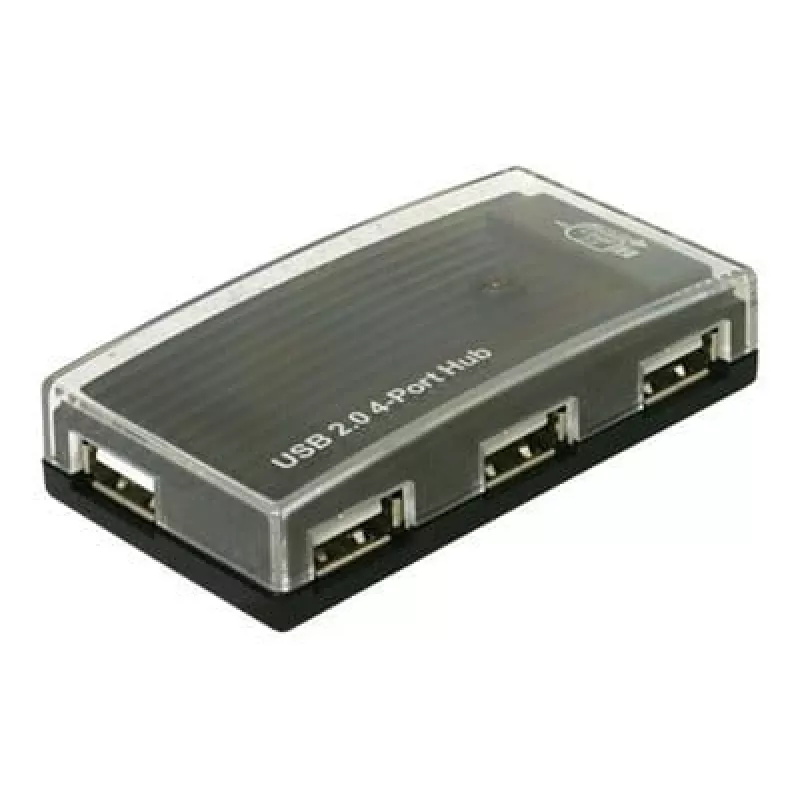
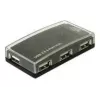
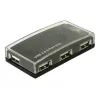
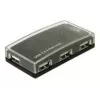
USB hub DeLOCK 4 port externý USB 2.0 480 Mbit/s

USB hub DeLOCK 4 port externý USB 2.0 480 Mbit/s
39,46 €
The DeLOCK USB Hub is an external USB 2.0 device that adds four additional USB ports to a PC or notebook, supporting a data transfer rate up to 480 Mbit/s. It is compatible with multiple operating systems including Windows 98SE, 2000, XP, XP-64, Server 2003 and Linux Kernel 2.6+, and enables connect... Čítať viac
Sklad 100 Kód 877665 Značka DELOCK Model 61393 Záruka 2 roky

Doprava a vrátenie tovaru

Predpokladané doručenie piatok, októbra 23
O stave zásielky Vás budeme priebežne informovať prostredníctvom nášho podrobného systému sledovania zásielok
Možnosti platby
Platobná kartaVisaMastercardPayPalApple PayGoogle PayBankový prevod

The DeLOCK USB Hub is an external USB 2.0 device that adds four additional USB ports to a PC or notebook, supporting a data transfer rate up to 480 Mbit/s. It is compatible with multiple operating systems including Windows 98SE, 2000, XP, XP-64, Server 2003 and Linux Kernel 2.6+, and enables connection of various USB peripherals such as MP3 players, card readers and external enclosures.

Advantages

The hub provides four extra USB 2.0 ports with full-speed transfer up to 480 Mbit/s, requires no internal installation and works with a wide range of operating systems. Its compact external design makes it easy to connect and disconnect multiple devices at once, expanding the number of available USB ports on laptops and desktops.

Suitable for

  • Connecting MP3 players and portable media
  • Linking card readers and flash drives
  • Attaching external hard drive enclosures
  • Expanding ports for keyboards, mice and other peripherals

Key specifications

  • Interface: USB 2.0
  • Data transfer rate: up to 480 Mbit/s
  • Ports quantity: 4
  • Compatibility: Windows 98SE / 2000 / XP / XP-64 / Server 2003, Linux Kernel 2.6+
  • Brand: DELOCK
  • Model / MPN: 61393

How to use

Connect the DeLOCK USB Hub to an available USB port on your PC or notebook using the included cable. Once connected, the operating system should recognise the hub and make the four additional ports available. Plug your USB devices—such as MP3 players, card readers or external enclosures—into the hub ports. If required by your system, install any provided drivers or follow on-screen prompts for device setup.

Recommendations

For optimal performance, connect high-power devices (for example some external hard drives) to ports that provide sufficient power or use an externally powered hub when connecting multiple power-hungry devices. Avoid overloading the hub with too many high-current devices simultaneously to ensure stable data transfer at 480 Mbit/s.
Hlavné vlastnosti
  • Connecting MP3 players and portable media
  • Linking card readers and flash drives
  • Attaching external hard drive enclosures
  • Expanding ports for keyboards, mice and other peripherals
  • Interface: USB 2.0
  • Data transfer rate: up to 480 Mbit/s
  • Ports quantity: 4
  • Compatibility: Windows 98SE / 2000 / XP / XP-64 / Server 2003, Linux Kernel 2.6+
  • Brand: DELOCK
  • Model / MPN: 61393
Parametre
Kód harmonizovaného systému (HS)
84719000
Kompatibilné operačné systémy
Windows 98SE/2000/XP/XP-64/Server 2003, Linux Kernel 2.6 +
Plug and Play
Yes
Počet portov
4
Prenosová rýchlosť
480 Mbit/s
Vývoj ceny za posledných 6 mesiacov
USB hub DeLOCK 4 port externý USB 2.0 480 Mbit/s
Aktuálna
39,46 €
Najnižšia
38,90 €
Najvyššia
48,35 €
Zmena za 24 h
+0,46 €   +1%
Týždeň
+0,54 €   +1%
Mesiac
-1,26 €   -3%

Populárne produkty v tejto kategórii

Dobrý deň, som AI asistent DistriNode. Pomôžem Vám nájsť produkty, porovnať možnosti, vytvoriť cenovú ponuku v PDF alebo otvoriť požiadavku na podporu.